
Best AutoCAD Alternative
Reduce CAD costs by up to 50% with powerful 2D, 3D & BIM software
BricsCAD® V26 is here
Smarter. Faster. More Innovative.
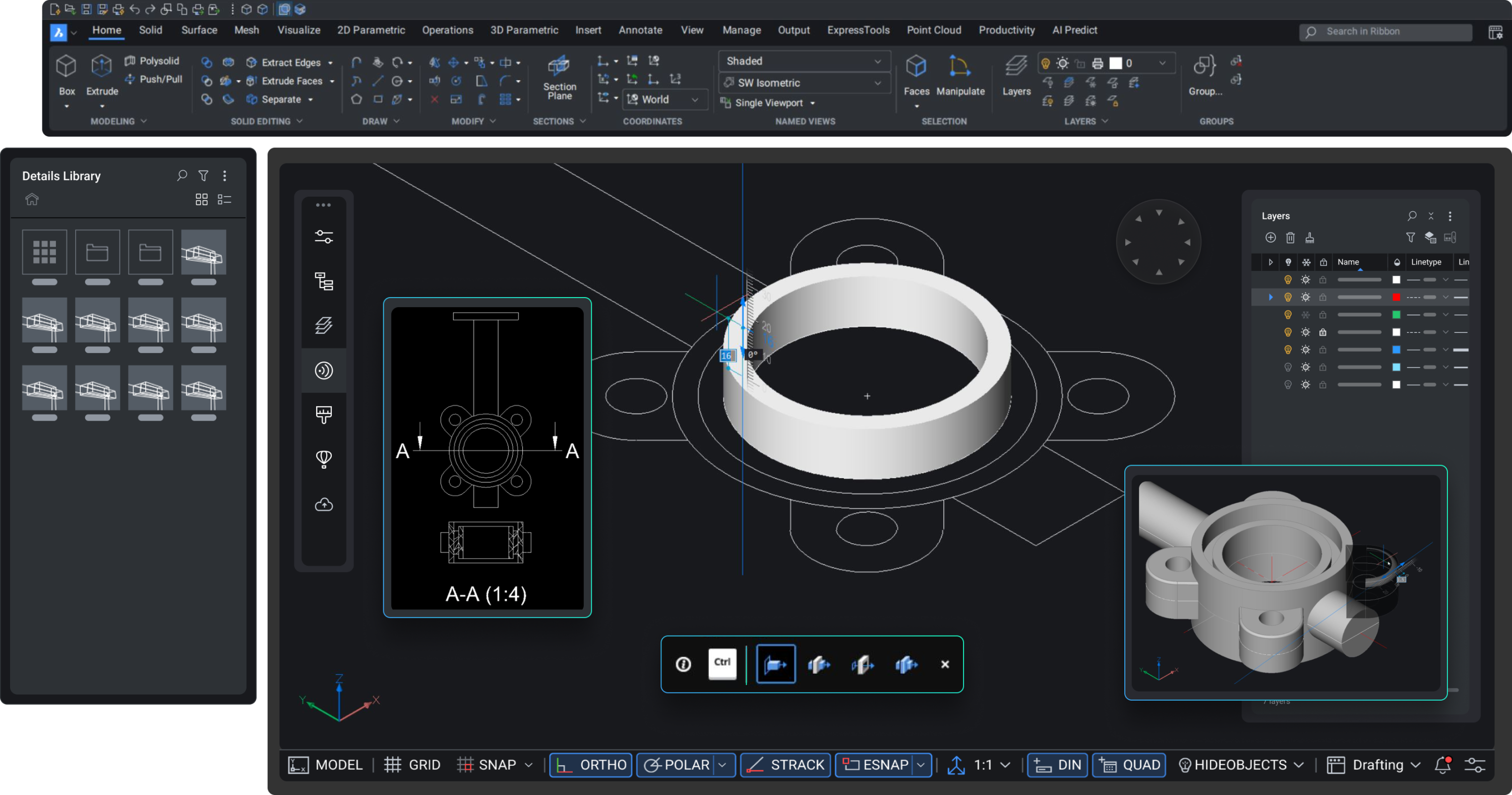
The BricsCAD V26 launch marks a new age of intelligent design. It redefines speed, accuracy, and automation in every workflow with more than 60+ enhancements. Discover what’s new in BricsCAD V26, including improved 3D solid manipulation grips, AI-powered drafting support, and quicker performance on big DWG files.
The platform offers better file performance, more intelligent collaboration capabilities, and BricsCAD V26 general design enhancements. It is the most potent open DWG alternative, guaranteeing smooth innovation and interoperability for engineers, designers, and manufacturers everywhere.
Maximize data integrity and design productivity with BricsCAD
Modelcam- Your Trusted BricsCAD Partner
BricsCAD Lite
Power Up 2D Drafting with BricsCAD® Lite
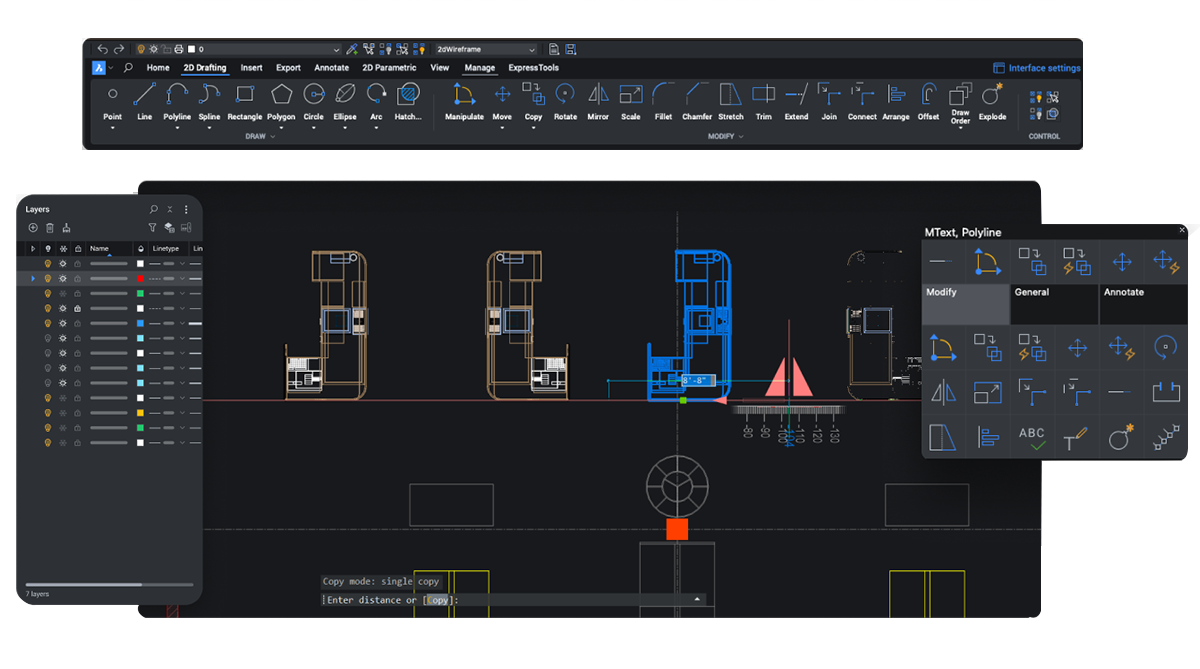
BricsCAD features, which increase speed and accuracy, will revolutionize 2D drafting. While improved LISP automation guarantees quicker customization for repeated design processes, upgraded BricsCAD dynamic blocks and sophisticated annotation features streamline drawing management.
Take advantage of improved file handling, increased stability, and BricsCAD general design enhancements that make drafting more user-friendly than before. BricsCAD Lite is the most intelligent open DWG alternative for regular CAD professionals because of its performance improvements and lightweight design tools.
BricsCAD Pro
BricsCAD Pro: Unlock Advanced 2D & 3D Design
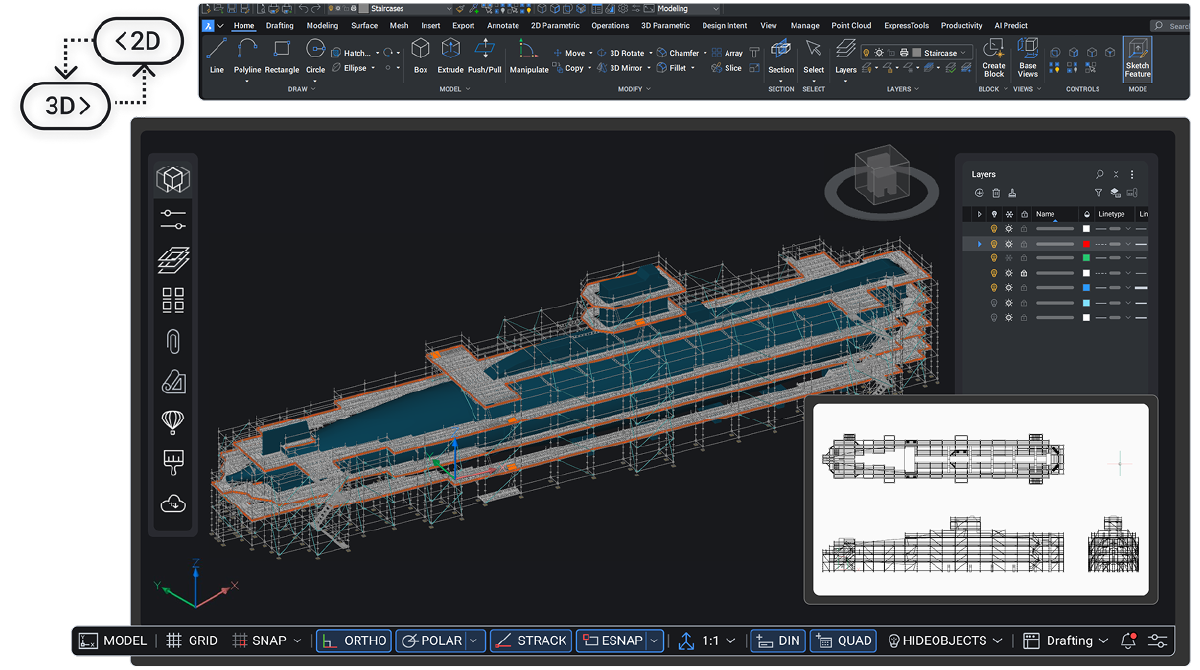
With robust 2D drafting and advanced 3D modeling capabilities on a single, unified platform, BricsCAD Pro empowers engineers and designers. AI-driven solutions that are fully compatible with DWG, such as automatic block creation and intelligent design support, improve productivity and streamline workflows. It is perfect for civil, mechanical, and general design projects because of its improved performance, real-time data handling, and support for third-party applications, which enable teams to move more quickly from concept to execution.
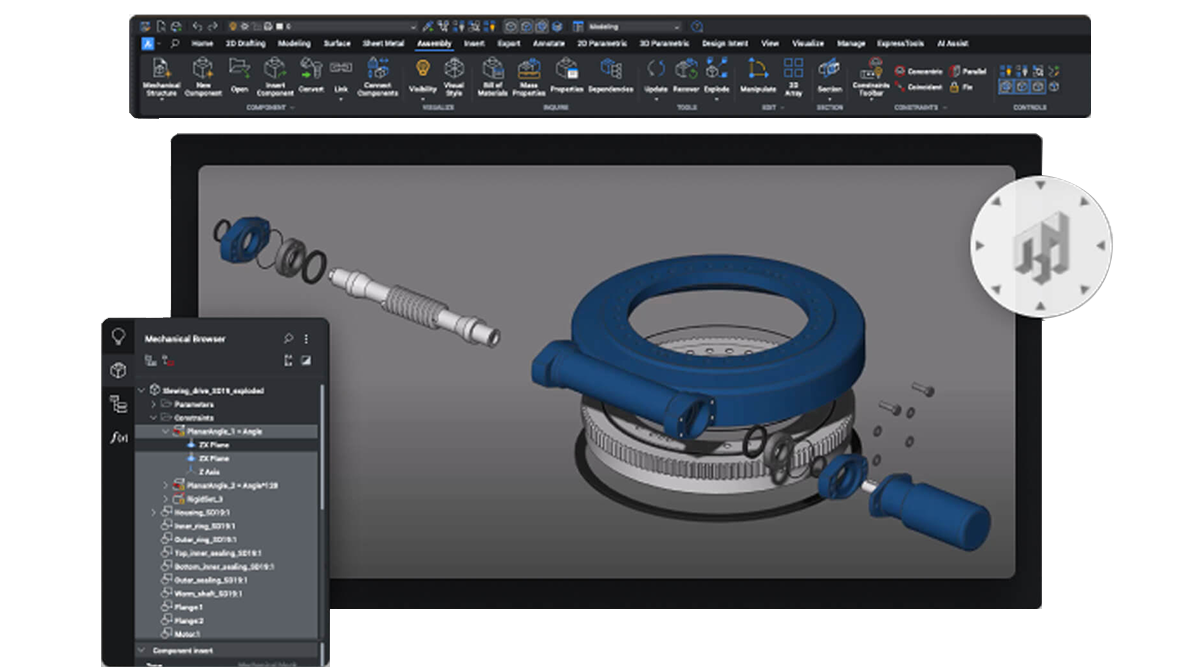
BricsCAD Mechanical
BricsCAD Mechanical - Designed for Next-Gen Manufacturing.
BricsCAD manufacturing improvements, which are built for accuracy, raise the productivity of mechanical design to new heights. Improved assembly modeling, quicker sheet metal workflows, and sophisticated 2D FEA analysis for better product validation are now available for engineers.
Smarter BricsCAD 3D solid manipulation grips, increased point cloud support, and simple edge-form generation for more control are all included in the release. These BricsCAD features provide high efficiency in modern BIM & survey workflows while preserving complete DWG compatibility, streamlining every step from concept to production.
BricsCAD BIM
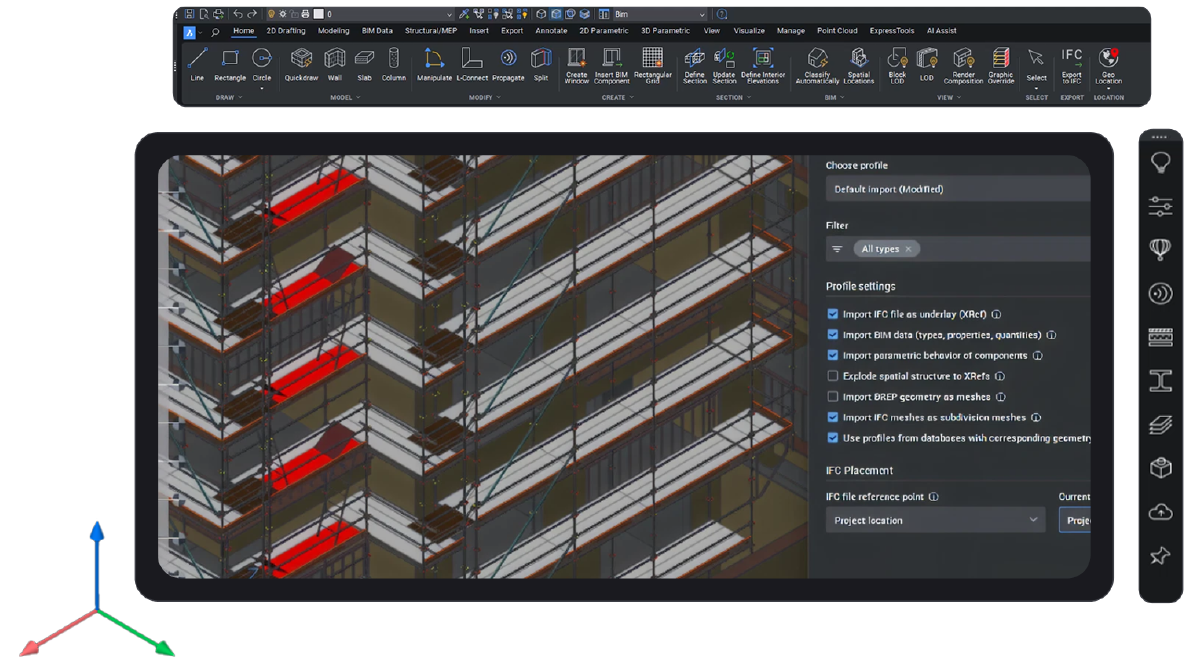
Intelligent BIM Workflows for Modern Construction
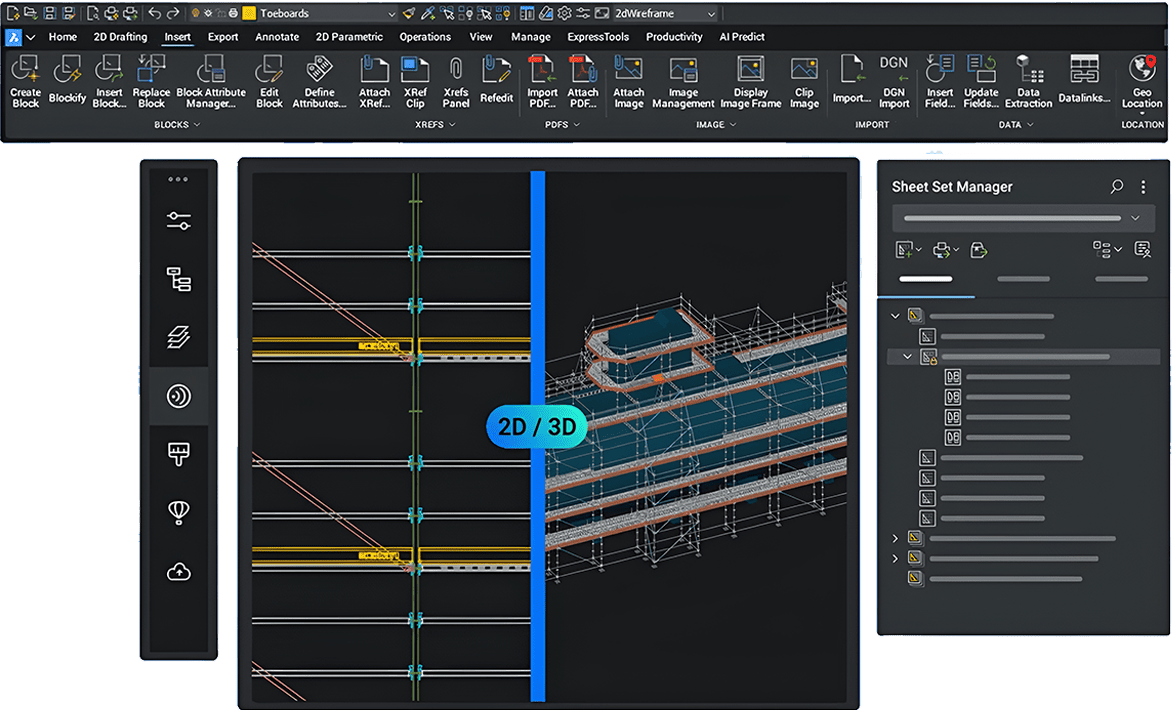
For architects, engineers, and contractors, BricsCAD BIM offers a comprehensive design-to-documentation workflow. It is based on a robust 3D modeling engine that effectively converts geometry into BIM elements through AI-driven classification and automation. It is a smart solution for modern construction and infrastructure projects because of its improved IFC compatibility, smooth collaboration tools, and enhanced project workflows, which lower errors and speed up project delivery.
Frequently Asked Questions
What is the main difference between BricsCAD Pro and AutoCAD?
BricsCAD Pro is fully DWG‑compatible and offers a familiar AutoCAD‑like interface, making the transition easy.
Key differences include:
- Perpetual Licensing – Buy once, own it forever (subscription optional)
- AI‑powered tools like BLOCKIFY and COPYGUIDED that speed up design work
- Cost‑effective compared to AutoCAD while offering similar functionality
Which file formats does BricsCAD software support?
BricsCAD Pro is .DWG‑based but supports multiple formats for easy collaboration:
- DXF, DWT - Drawing templates and data exchange
- STEP and IGES - Enables 3D data sharing with other CAD systems using STEP and IGES
- PDF, STL - Export and 3D printing
This guarantees a unified experience across different design systems.
Is BricsCAD Pro easy to learn and use?
Yes. Its interface is very similar to AutoCAD, so engineers and designers can get comfortable within 1‑2 days.
- Built to support automation through LISP, VBA, and .NET scripting languages.
- Smooth migration for AutoCAD users
Does BricsCAD Pro offer a perpetual license?
Absolutely. BricsCAD software is one of the few CAD software solutions offering permanent licenses.
- Subscription options are also available
- Optional Maintenance (BricsCAD 24/7) ensures updates and support
Is BricsCAD a reliable choice for India’s engineering and design sector?
Yes. Modelcam Technologies provides local support, training, and customization for Indian businesses.
- Local pricing
- CAD customization and PLM integration support available
Can BricsCAD handle BIM or Mechanical design?
Yes, BricsCAD software has dedicated editions:
- BricsCAD BIM – For Building Information Modeling
- BricsCAD Mechanical – For parametric assemblies and sheet metal design
You can start with BricsCAD Pro and upgrade anytime based on your requirements.
About Us
Modelcam Technologies provides a wide variety of services from art to part from concept design to industrial modeling, and analysis for final manufacturing.

Address
©Copyright 2026. All rights reserved by Modelcam Technologies Private Limited PUNE.